Running W:SotHR on Linux under Wine
Section: Linux
Warhammer: Shadow of the Horned Rat is Games Workshop's oldest Warhammer computer game and was the first RTS game that they published. It was released in 1995, making it nearly 13 years old as this is written, but recent nostalgia made me want to try to play it. Being such an old game could make playing it difficult anyway, but here are the instructions for getting it running on Linux. 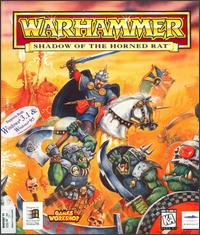
Checking Wine's AppDB didn't show any results for Shadow of the Horned Rat, so I was on my own. The added complexity of it being a 256 colour game also provided its share of issues.
Note: These instructions no longer work. Changes to Xvnc and/or Wine mean that the colour palette is horribly broken in 2015. Unfortunately, I've tried Dark Omen and that also seems to have graphical issues.
Initial install
Installation of Warhammer: Shadow of the Horned Rat isn't easy, even on a Windows XP computer. Part of the installation script for Shadow of the Horned Rat does peculiar checking for the Windows version and is fooled by neither the Windows XP compatibility mode nor the Wine Windows version selection. A bit of searching the web and some instructions on a forum seem to have worked for me.
In summary, and in case the forum disappears, the steps to install the game are as follows. References to "c:\" apply to the main Wine drive.
- Copy RMORPH folder contents to your c:\windows\system32 folder.
- Copy WARFB folder to C:\GAMES folder (or whatever folder you want, but then you'll need to change paths in reg file).
- Create empty folder TEMP inside WARFB folder.
- Create folder UPDATE inside WARFB folder.
- Create folder BINARY inside WARFB\UPDATE folder.
- Copy only files (not the folders!) from <your CD_ROM>\WARFB\FILE\BINARY to C:\GAMES\WARFB\UPDATE\BINARY folder.
- Update your registry:
- Download the Registry file
- Unzip the registry file
- Open Wine's RegEdit
- Select "Import Registry File..." from the Registry menu
- Select the extracted file and click "okay"
Running in 256 colours
Shadow of the Horned Rat requires 256 colours to run properly. Unfortunately, although the Wine Wiki has a page on 256 colour workarounds the simple X server options won't work with ATI's FGLRX drivers as it doesn't support 8-bit colour. The only option I've successfully got working is to use VNC.
Although the 256 colours aren't quite as perfect as when run under Windows, the following settings appear to give the best rendering. If your settings are incorrect you can end up with black areas that leave text unreadable. All Wine settings are best set in an application-specific profile (click "Add" at the bottom of the Applications tab, find the "whshr.exe" file and then make sure it is selected while you apply settings).
Wine graphics
 The following settings in Wine seem to give the best rendering:
- Make sure "Allow the window manager to control the windows" is set. Not setting this can cause the previously mentioned black areas.
- All other settings seem to make little difference.
VNC setup
To use VNC I installed the standard packages from Fedora - Xvnc Free Edition 4.1.2 for the client (vnc-4.1.2) and server (vnc-server-4.1.2). Gnome also have Vinagre as a VNC viewer, but a) this is probably excessively heavy-weight for such an old game and b) I never actually got it to show me anything other than a black screen.
Once VNC was installed I altered the ~/.vnc/xstartup script slightly to always start Shadow of the Horned Rat (since that was going to be the only thing I used VNC for):
The following script then starts the VNC server, connects to it and then kills the server once you close the game:
Create a file (e.g. /usr/local/bin/whsothr), paste in the code above, store your VNC password in the password file specified, add execute permissions to the script and then run it to start the game with an auto-kill of the VNC server on shutdown.
The only down-side that I've found of keeping twm as the window manager is that you need to click to position your windows - even though it is fullscreen, the game will not automatically cover the whole screen on startup under twm. This is by design, as twm is a minimal window manager, but minimal is all we need.
Navigation
Site Navigation
Links
- Hive World Terra - articles, downloads, fanfiction and an encyclopedia for Games Workshop's games.
- Skins@HWT - Skins, textures, badges, banners and team colours for Dawn of War, plus tutorials, tools and an FAQ.
- WarFoundry, the cross-platform, multi-system, open-source army creator.